Anything you want to read. At a level you can actually read it.
Share a link or name a book. Soya rewrites it in Chinese, Japanese or Korean at your HSK, JLPT or TOPIK level, puts a reading over every word, and hands it back.
Soya is finished and in review. Soya will be free on both stores — no account, no subscription.
Most of it is already on your phone.
Nothing here is unlocked, fetched or bought. It comes down with the app and works with no signal, no account and no key.
languages, two Chinese scripts
lessons, bundled in the download
example sentences inside them
graded words to practise offline
practice games, none of which call a model
trackers, ads, subscriptions or sign-up walls
Tap a word. That is the whole app.
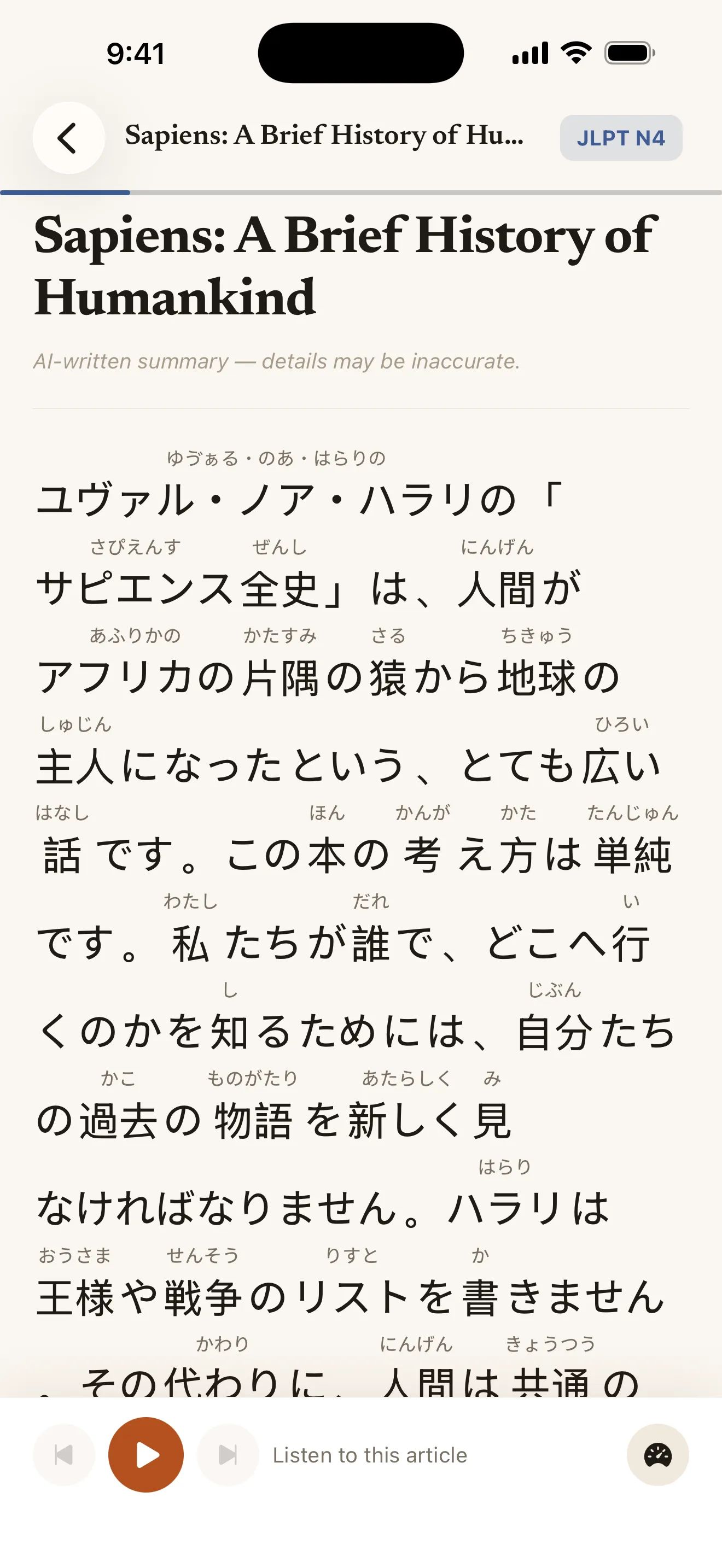
Every word in every text carries its reading, and every one of them opens. The sentence beside this is real — go on.
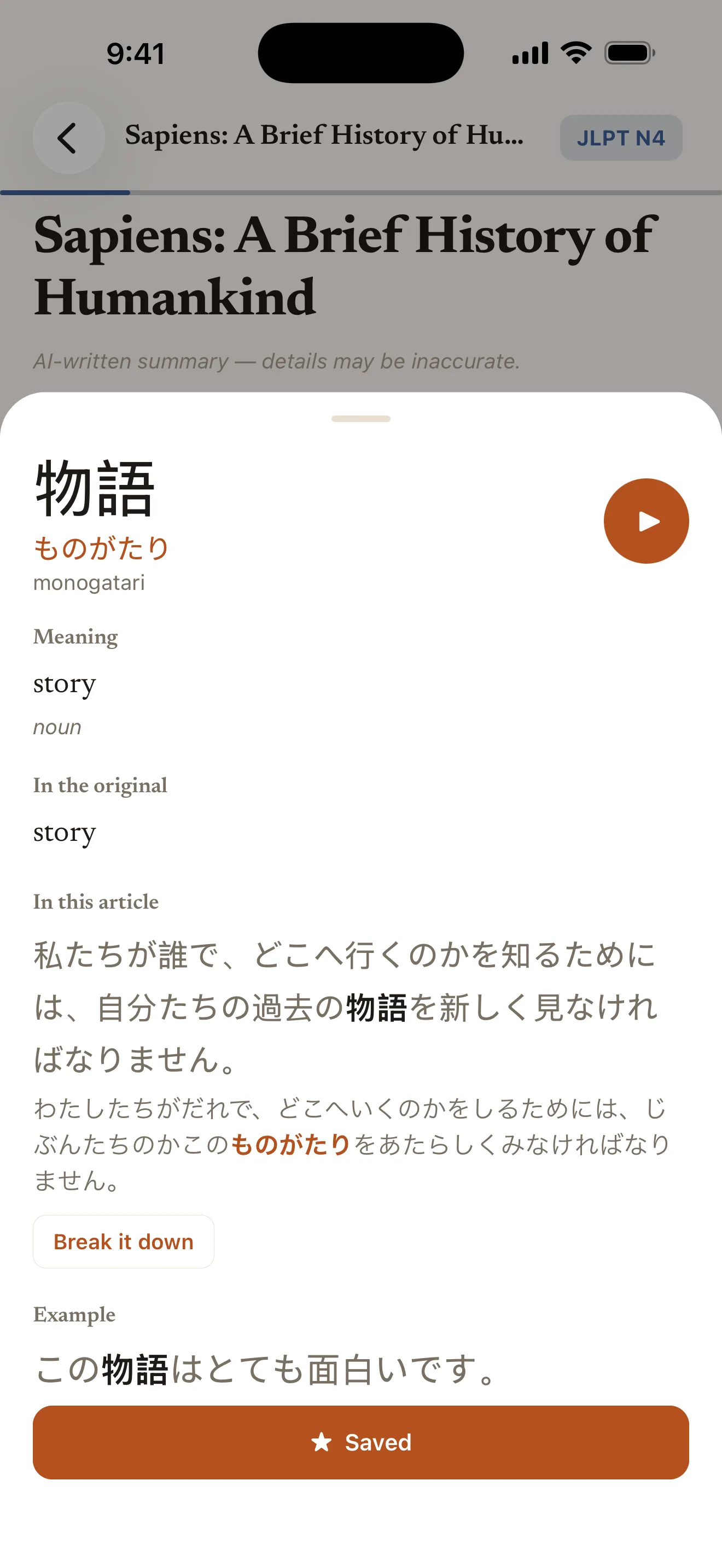
The second tap on a word costs nothing at all: definitions are cached on the phone, and they work offline afterwards.
Link in. Lesson out.
The level is a constraint on the text, not a label on it. It caps the vocabulary, the grammar, the politeness level in Korean, and how much kanji turns up in Japanese — so a beginner article really does come back mostly in kana.
- 1
Share anything
A news article from your browser, a link you pasted, or the title of a book you have been meaning to get to.
- 2
It comes back at your level
Rewritten, split into words, a reading over each one. Paragraphs land as they finish, so you start reading before it has stopped writing.
- 3
Tap what you don’t know
Meaning, the word in this sentence, examples, and how to say it. PressBreak it down and the whole sentence gets walked through part by part.
Four ladders. Pick a rung.
Traditional Chinese is a first-class choice, not a conversion pass over Simplified — its own lessons, its own Taiwanese vocabulary, its own definitions. One library holds both.
Chinese (Simplified)
Tone-marked pinyin over every word.
101 lessons, bundled 繁體中文HSK 1 – HSK 7–9Chinese (Traditional)
Tone-marked pinyin, not zhuyin.
102 lessons, bundled 日本語JLPT N5 – JLPT N1Japanese
Hiragana furigana over the kanji.
103 lessons, bundled 한국어TOPIK 1 – TOPIK 6Korean
The word as it is actually said.
100 lessons, bundledFive games, no signal.
Built from words you have already looked up and sentences already on your phone. Not one of them calls a model, so they work on a plane, on the underground, and on no signal at all.
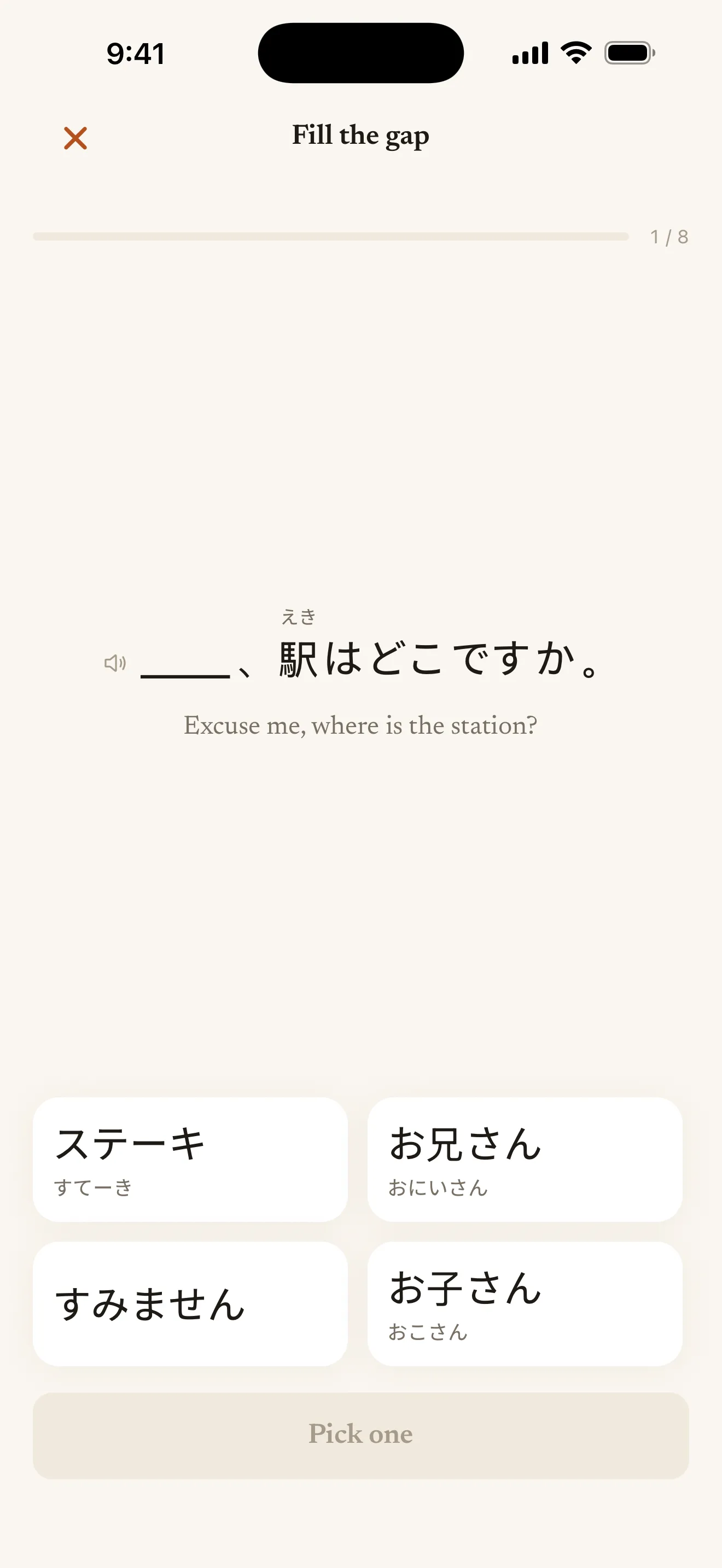
Fill the gap
A sentence you actually read, with one word blanked out. Pick it from four.
Build the word
A meaning and a reading, and six character tiles. Tap the right ones in order.
Listening
Your device says a word; pick which of four you heard.
Pair match
Six words on the left, six meanings on the right. Match them all.
Sentence order
A sentence from your reading, cut into words and shuffled. Put it back.
Get a word wrong and it is due again immediately; right, and it goes away for longer each time — three days, a week, a fortnight, a month. Japanese adds two script drills: 104 hiragana and 124 katakana.
406 lessons, already in the box.
Short explainers that start at the script and work up to a news sentence long enough to lose your place in — then step sideways into the language people actually speak.
1,606 example sentences, every one of them real: tap a word for its meaning, press play to hear it. They ship inside the app, so they work offline, signed out, and before you have added a key.
- Japanese begins at the kana; Chinese at pinyin and the four tones.
- Korean spends a whole section on 해요체, 합니다체 and 반말, because in Korean the politeness level is the verb ending.
- Nothing here needs a network, an account or an API key.
Here is the whole thing.
Six screens, which is most of the app. There is no seventh one behind a subscription.
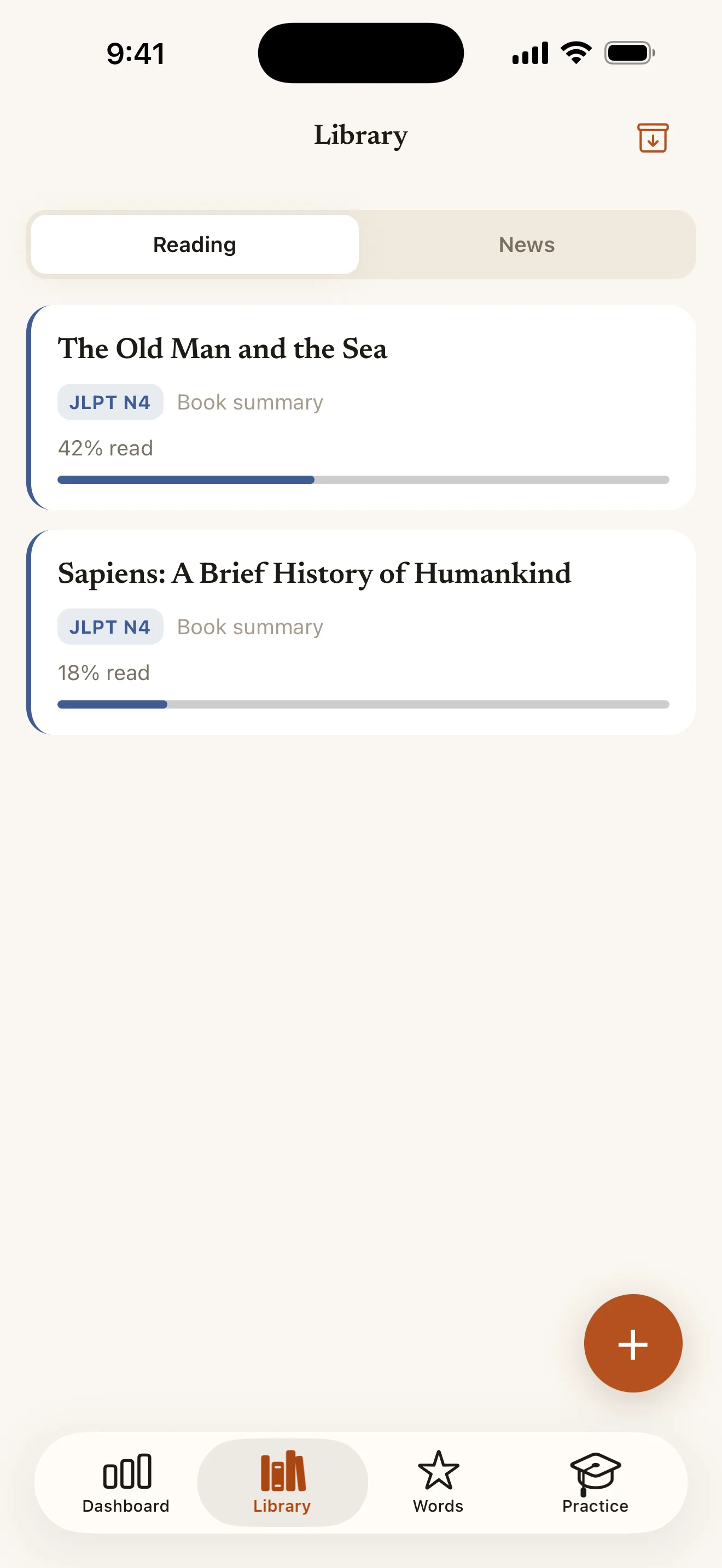
Every word carries its reading. Tap any of them. Meaning, the word in this exact sentence, examples, and how to say it. Everything you have imported, with your place in it kept. Five games, not one of which calls a model. 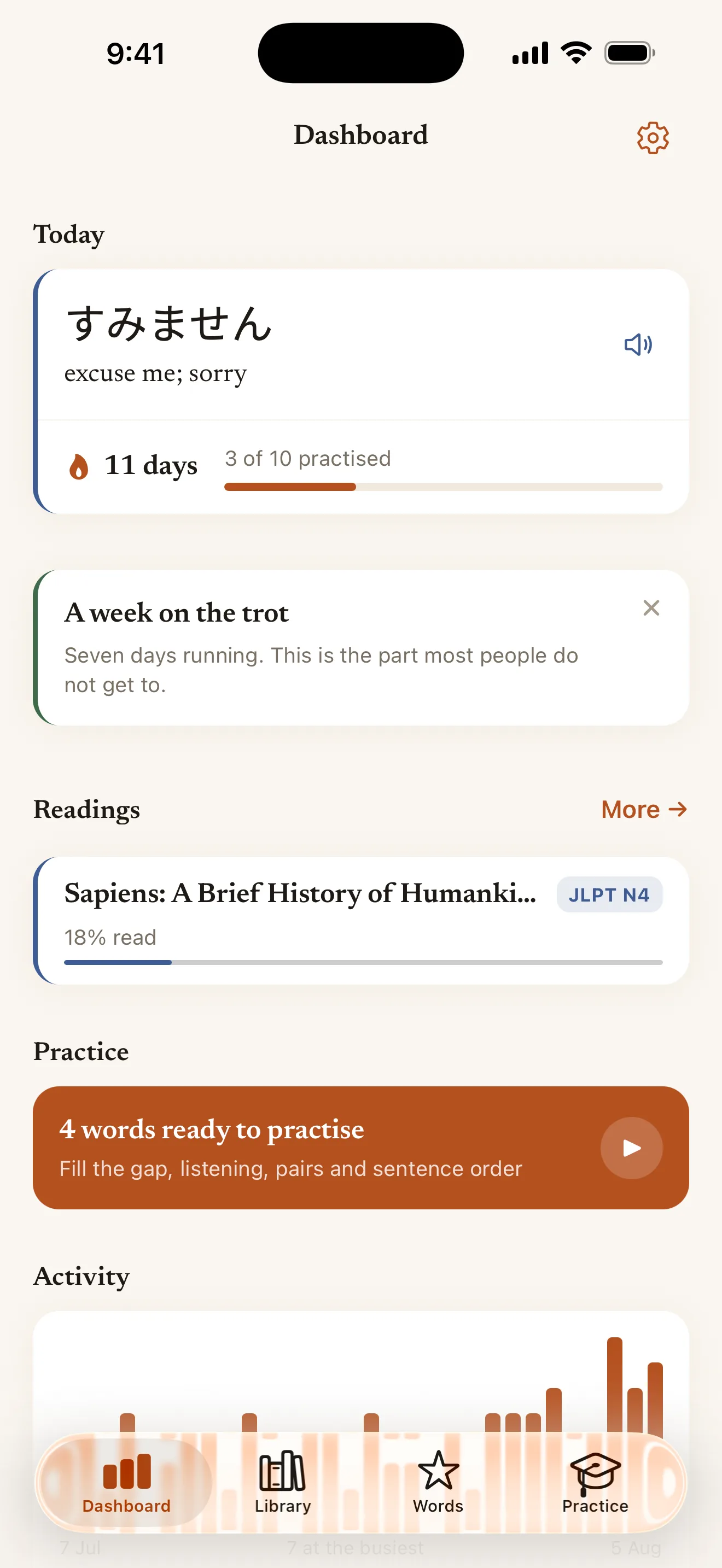
What to read next, what to practise, and a streak worth keeping. 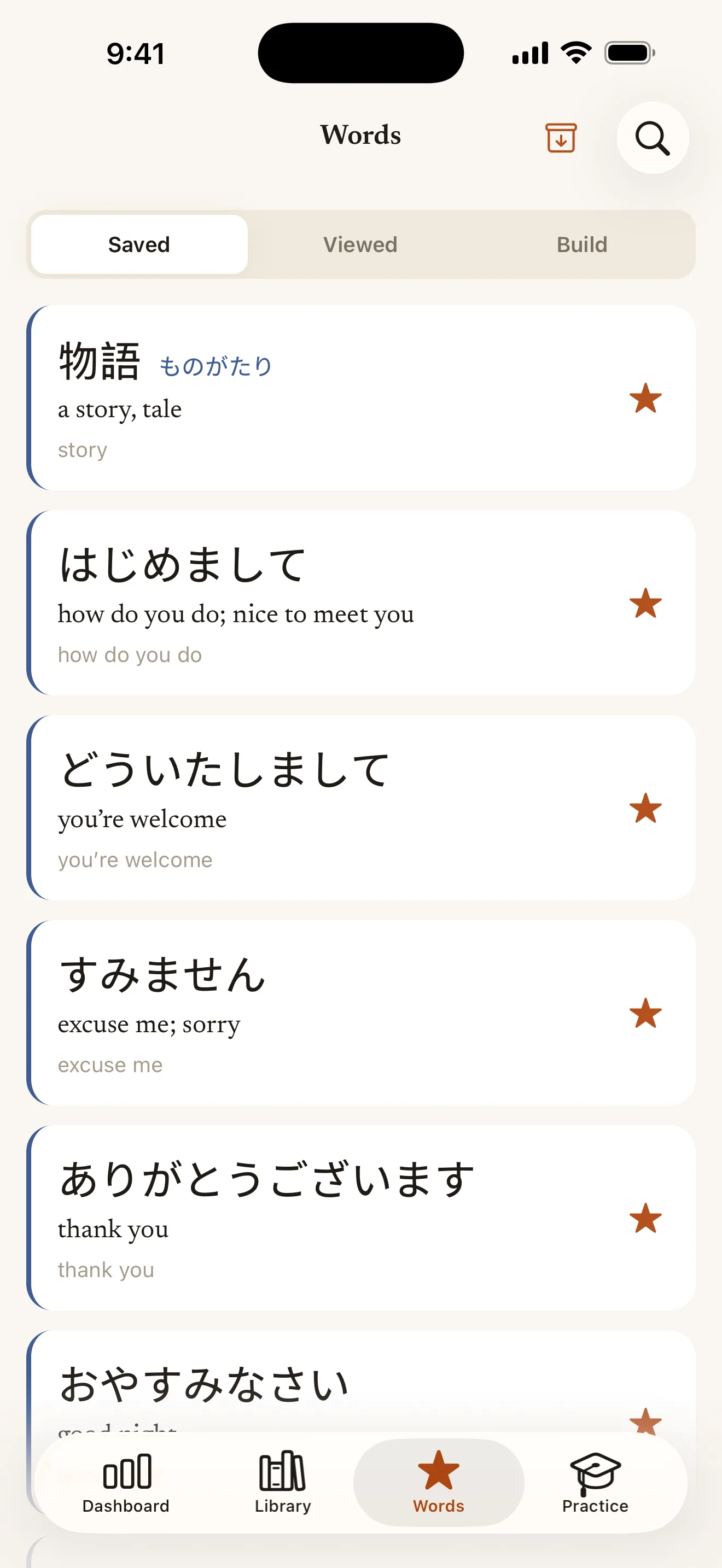
Saved, viewed, and a whole graded catalogue to build from.
Free. And then still free.
No subscription, no in-app purchase, no advertising — none of it, anywhere.
Free, out of the box
Install it and start reading. The four stages run on Soya’s own keys, up to 300,000 words of output a month, resetting on the 1st. No sign-up, no card, no trial that ends.
The text you are reading is sent to be translated and is kept nowhere — no article, no word and no sentence is written to any table or log. The only thing recorded is a count.
Your own API key
Anthropic, OpenAI, Google, DeepSeek, or any OpenAI-compatible endpoint. Your key lives in the device keychain, goes straight to that provider, and is never uploaded — you are billed by them directly.
Each provider’s picker shows its per-token rate, and translation runs at low reasoning effort to keep the bill down.
Nought trackers. We counted.
Your library, your words, your practice history and your reading positions live in one database on the phone and go nowhere unless you ask them to.
- No analytics, no telemetry, no advertising identifier — none of it, at all.
- The only permission the app asks for is the one that lets it play audio.
- Signing in is opt-in and off by default. It exists so a library can follow you to a second device, and for nothing else.
- Your API key and what you have spent are never uploaded, never synced and never in a backup file.
Questions people ask first
Is it really free?
Yes. There is no subscription, no in-app purchase and no advertising. Soya runs on its own keys up to 300,000 words of output per month, which resets on the 1st — enough for regular reading. If you want more than that, add your own API key from any of five providers and there is no cap at all.
Do I need an API key?
No. The app works from a fresh install with no account and no key. A key is the option for reading more than the free monthly allowance, or for choosing exactly which model does the work.
Does what I read leave my phone?
Your library, saved words, practice history and reading positions stay in a database on the device. The text of what you are reading is sent to be translated — to your own provider if you set a key, otherwise to Soya, which keeps no copy of it. Nothing else goes anywhere unless you choose to sign in.
Do I need an account?
No, and there is no sign-up wall. Signing in is opt-in and exists only so a library can follow you to a second device. Everything — reading, lessons, practice, the word of the day — works signed out.
Does practice work offline?
Completely. The five games and the kana drills make no network requests at all: their sentences come from words you have looked up and from a vocabulary catalogue bundled inside the app, and the pronunciation is your device’s own voice.
More at Support, or write to support@soyalearn.com.
Go and read the thing you were going to read anyway.
Soya is finished and in review. Soya will be free on both stores — no account, no subscription.